
Start here
Owner first steps
The owner setup checklist appears in the signed-in workspace and reflects completed records. It is not a separate form you have to mark done. Open My Planner to review it.
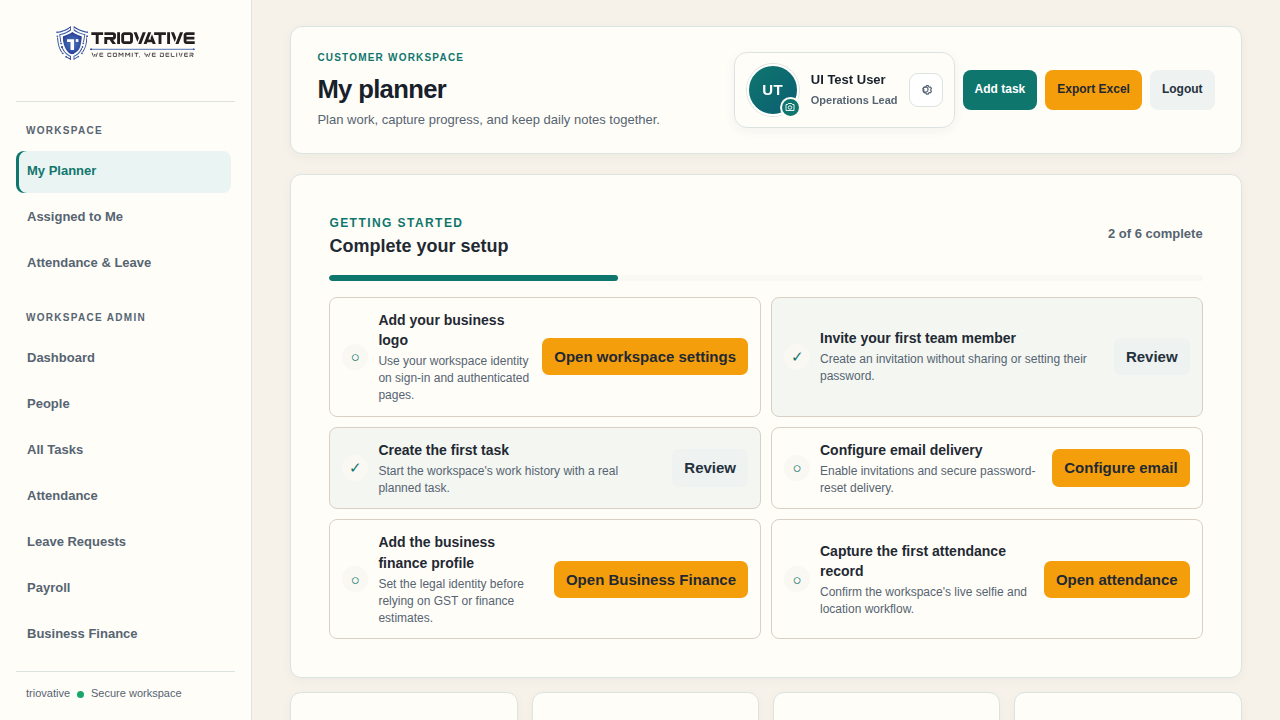
Example screen using sample data; your workspace may show different completed items.
Recommended sequence
- In Workspace Admin → Workspace Settings, upload a business logo. It appears on workspace sign-in and authenticated pages.
- In People, invite the first team member. Use their own email; do not create or share their password.
- In My Planner, create the first real task.
- In Email Settings, configure and test workspace SMTP so invitations and secure password resets can be delivered.
- In Business Finance, enter the business finance profile and create accounts before the team records cash activity. Only the owner can change finance settings and create accounts.
- Open Attendance & Leave and complete a first attendance record to check the camera and location workflow.
The owner can use Workspace Settings → Plan and billing access when subscription payment is required. Billing checkout is owner-only. Other policies can be configured as the team begins using attendance and leave; policy changes do not rewrite historical evidence.
If a checklist item stays incomplete, return to the relevant screen and confirm that the action saved successfully. A configured email sender counts as an email setup milestone; use Send test email to check actual delivery.